


Choose the pair
Select which asset to send and which to receive.
KONEBE / DIGITAL ASSET SWAP
Use Swap inside Konebe Wallet to choose the asset you want to exchange and the one you want to receive. Review the parameters offered for each available route before confirming.
From asset selection to authorization, exchanging crypto stays within your wallet experience.
ASSET EXCHANGE
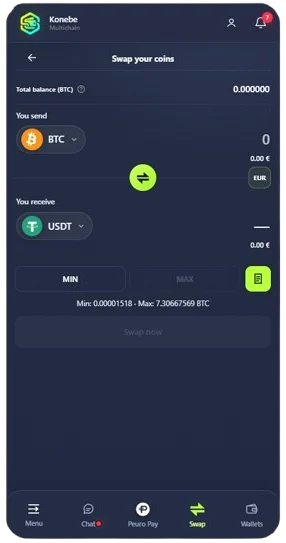
Pick the sending and receiving assets, then enter the amount. The BTC/USDT view brings asset selectors, an amount field and MIN/MAX limits together. When a compatible route is available, review the estimate before proceeding.
Wallet pair selection · live terms checked in the app
BTC/USDT is an example pair. Check pricing and availability in the app.
SWAP WORKFLOW
Selecting a pair, reviewing the terms and authorizing the exchange are separate actions. The Wallet keeps this sequence visible so the decision goes beyond a quoted number.
Select which asset to send and which to receive.
Check the estimated amount, applicable limits and displayed fees.
Verify the network, amount and transaction details before confirming.
ASSETS AND ROUTES
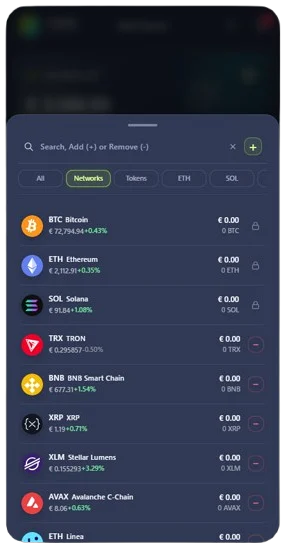
The Wallet displays cryptocurrencies and tokens across blockchains. Adding an asset to your dashboard does not activate a trading route; available pairs are checked in Swap.
BEFORE CONFIRMATION
Select the asset you will send and the one you want to receive. If a compatible route exists, the app can present an estimate, pair limits and terms for your decision.
Network fees, provider charges and price impact can affect the outcome. A quote is contextual and may change before execution; review the latest displayed amount.
Selecting a pair is not the same as executing an exchange. Review amounts, networks, destinations and any permissions before authorizing from your wallet.
Adding coins and tokens to your dashboard organizes access to supported features. Check the Swap module to confirm an available route for the specific asset pair and network.
Swap exchanges one asset for another through available routes. It does not promise returns; optional Private Moovie services have separate terms, custody conditions and risks.