


ADVANCED BITCOIN
Native SegWit and Legacy address management.
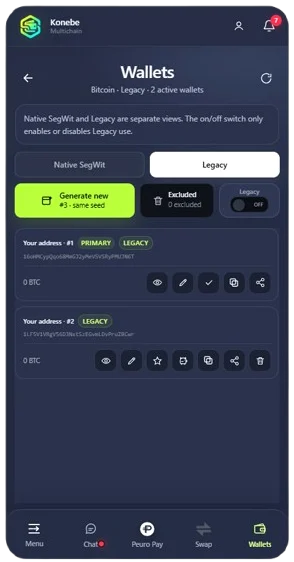
Choose your Bitcoin address view, open wallet-generation tools and manage Legacy and Native SegWit options. The format must be accepted by the destination service.
KONEBE / MULTI-WALLET
Organize wallets and addresses inside Konebe Wallet, including independent identities created with separate recovery phrases. A practical setup for managing different networks and purposes.
Everyday accounts, dedicated wallets and advanced Bitcoin tools, with the active identity clearly selected.
SEPARATE IDENTITIES
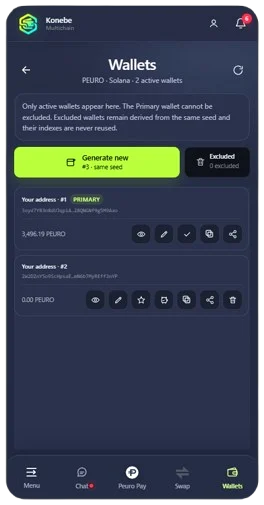
Each PEURO wallet has its own address, balance and controls. An identity created from its own recovery phrase also requires its own backup; this differs from deriving another address from one phrase.
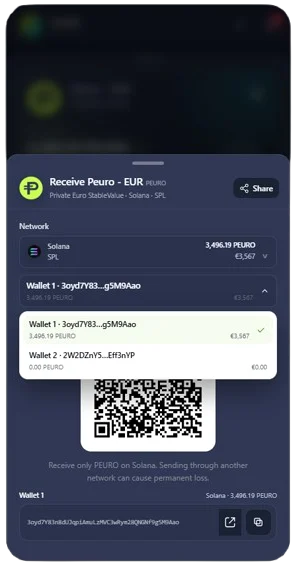
Official account screenshots. Addresses and balances reflect the captured interface.
ADVANCED BITCOIN
Choose your Bitcoin address view, open wallet-generation tools and manage Legacy and Native SegWit options. The format must be accepted by the destination service.
CUSTOMIZABLE ASSETS
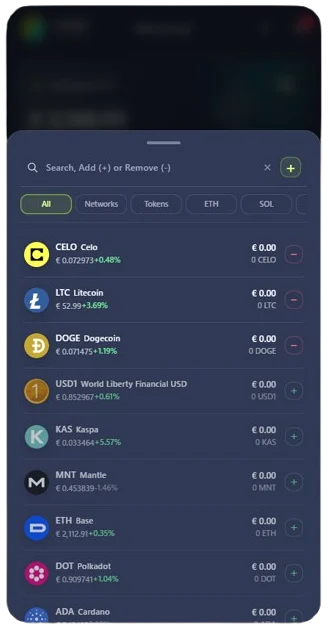
Select native coins and tokens from the Wallet list to organize your dashboard. Hiding an asset does not move funds or change the account that owns them.
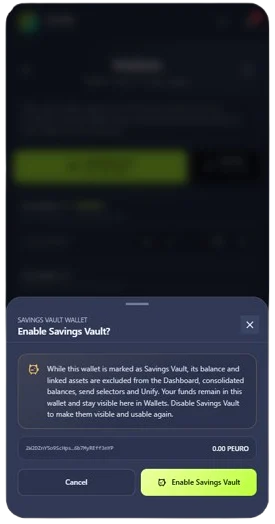
SAVINGS VAULT
Savings Vault marks a wallet and hides its balance and linked addresses from certain consolidated views and selectors. Funds remain in the wallet; this setting neither moves assets nor creates yield.
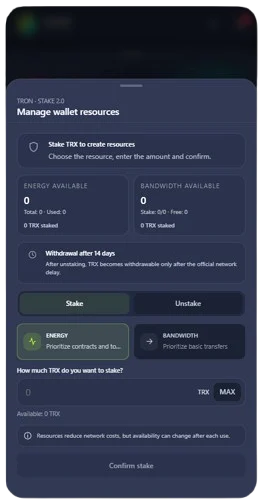
TRON · NETWORK RESOURCES
Monitor TRON account resources and access stake and unstake controls. Resource use and withdrawal timing follow the network rules, not a promise of immediate release.
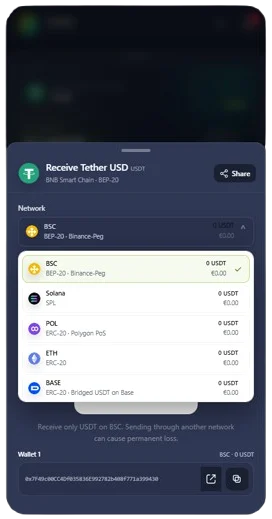
ONE TOKEN, MULTIPLE NETWORKS
BSC, Solana, Polygon, Ethereum and Base are among the USDT network choices shown. Select the correct network before sharing its receiving address.
ACCOUNT MANAGEMENT
Multi-wallet accounts can represent distinct recovery identities. Deriving another address from one phrase differs from creating a wallet with its own seed. Identify each account’s origin before backing it up.
Separate activities while keeping the active wallet and balance clear. Before moving funds, verify the account label, asset, network and recipient address.
Advanced Bitcoin controls provide Native SegWit and Legacy options, wallet generation and address management. Choose formats according to network and recipient compatibility.
Keep each recovery phrase securely stored and clearly identified outside chats and shared files. Having another active wallet does not restore a lost backup.
Open wallet management in the app, identify the active account and review generation and import options. The Security page covers PINs, backup and recovery practices.