


Web and PWA
Visit app.konebe.com to create, import and manage wallets. PWA installation, when supported, is offered by the browser.
This button opens the web app; it does not install software automatically.
KONEBE WALLET / OFFICIAL ACCESS
Your self-custody crypto wallet is available in the browser and through a Windows installer. Choose your access method, verify the domain and keep your PIN and recovery phrase under your control.
ACCESS AND INSTALLATION
Use Konebe Wallet on the Web or download the Windows version. You can also find shortcuts to app stores and browser extension directories.
Visit app.konebe.com to create, import and manage wallets. PWA installation, when supported, is offered by the browser.
This button opens the web app; it does not install software automatically.
Install on your computer.
Windows v3.0.43 - 30/10/2026Official Windows installer (.exe) at downloads.konebe.com.
Download for WindowsOpen the App Store for iPhone and iPad.

Open Google Play from your Android device.

Choose your browser and access the extensions store.
OFFICIAL INTERFACE
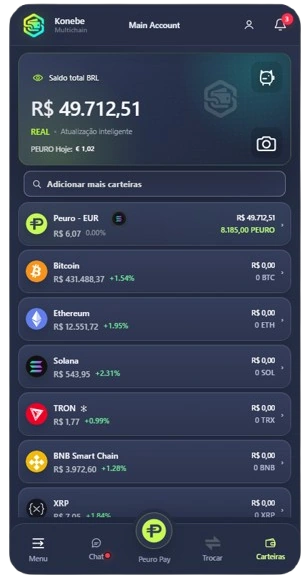
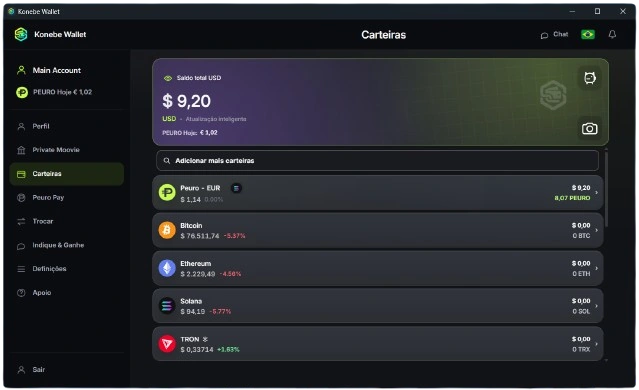
On desktop, manage your wallet list and follow assets across networks. On smaller displays, navigation adapts while retaining access to wallet functions.
PRIVACY & SECURITY
Using the correct access point is the first security check. Daily protection also depends on your device and how you store recovery information.
Use app.konebe.com for web access and downloads.konebe.com for the installer. Be wary of links received in messages or ads.
Your PIN protects local access; the recovery phrase restores access to assets. Never share your seed with anyone.
Avoid shared or compromised computers. Choose trusted devices and verify the address before using the Wallet or installing browser extensions.
The Wallet can hide balances in its dashboard and uses local access controls. Understand these features before moving assets.
Explore privacy and security ↗

